I opened my server log expecting Googlebot at the top. It wasn’t even second.
In just under two weeks, AI crawlers made almost three times as many requests as every search engine put together. More than a third of the “Googlebots” weren’t Google at all, and some of those fakes were hunting for passwords.
Why Your Analytics Misses AI Crawlers
Most AI crawlers don’t run JavaScript, so they never trigger your tracking script. Plausible, Umami and Google Analytics never count this AI bot traffic, and their bot filters never even see it.
Only the server log does. A log analyzer like GoAccess shows them, but it trusts the name in the request. So the fakes end up in its “AI crawlers” list too.
Who Reads This Site: AI Crawlers vs Search Engines
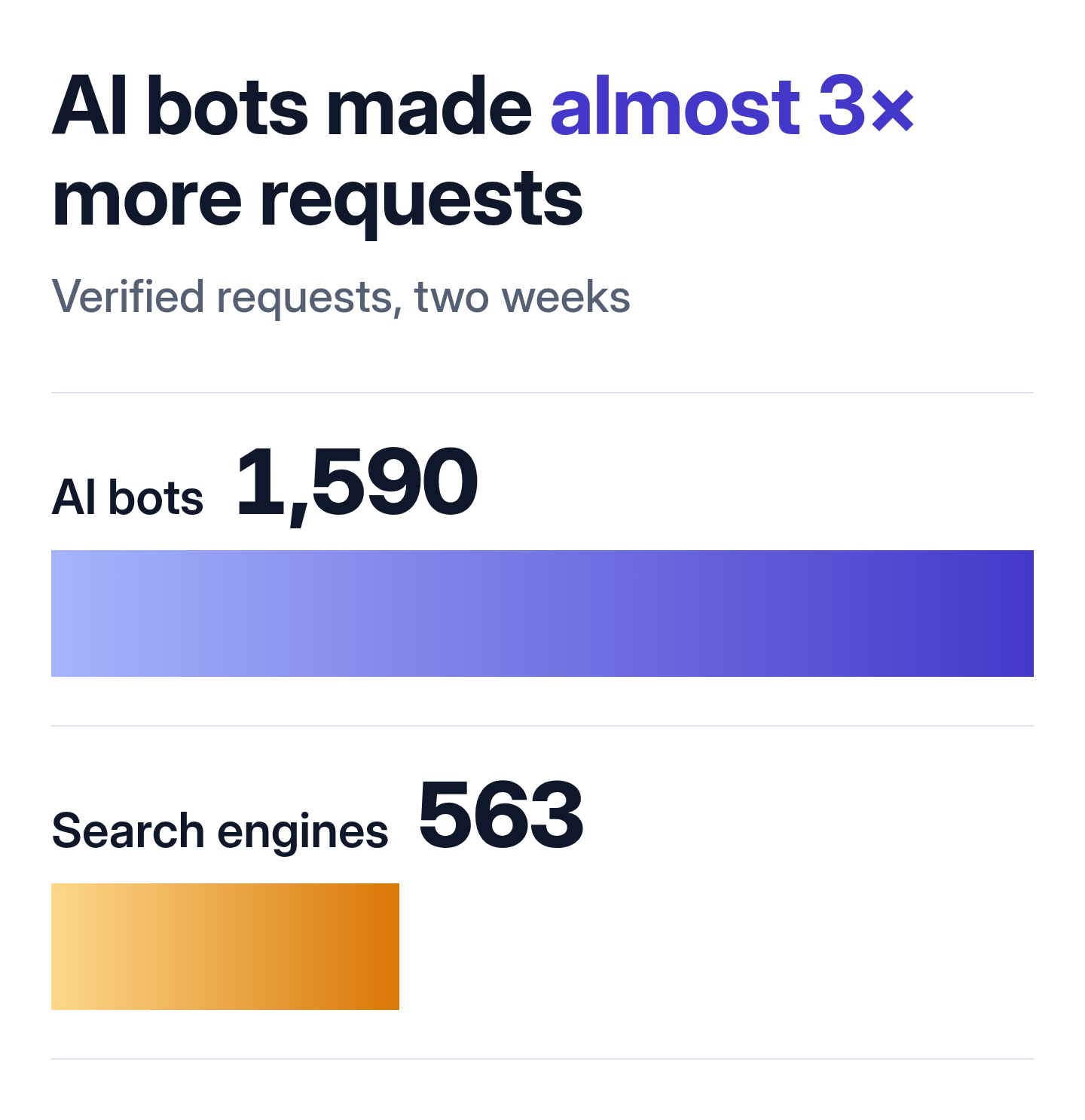
I only counted requests from addresses that belong to the company behind the bot.
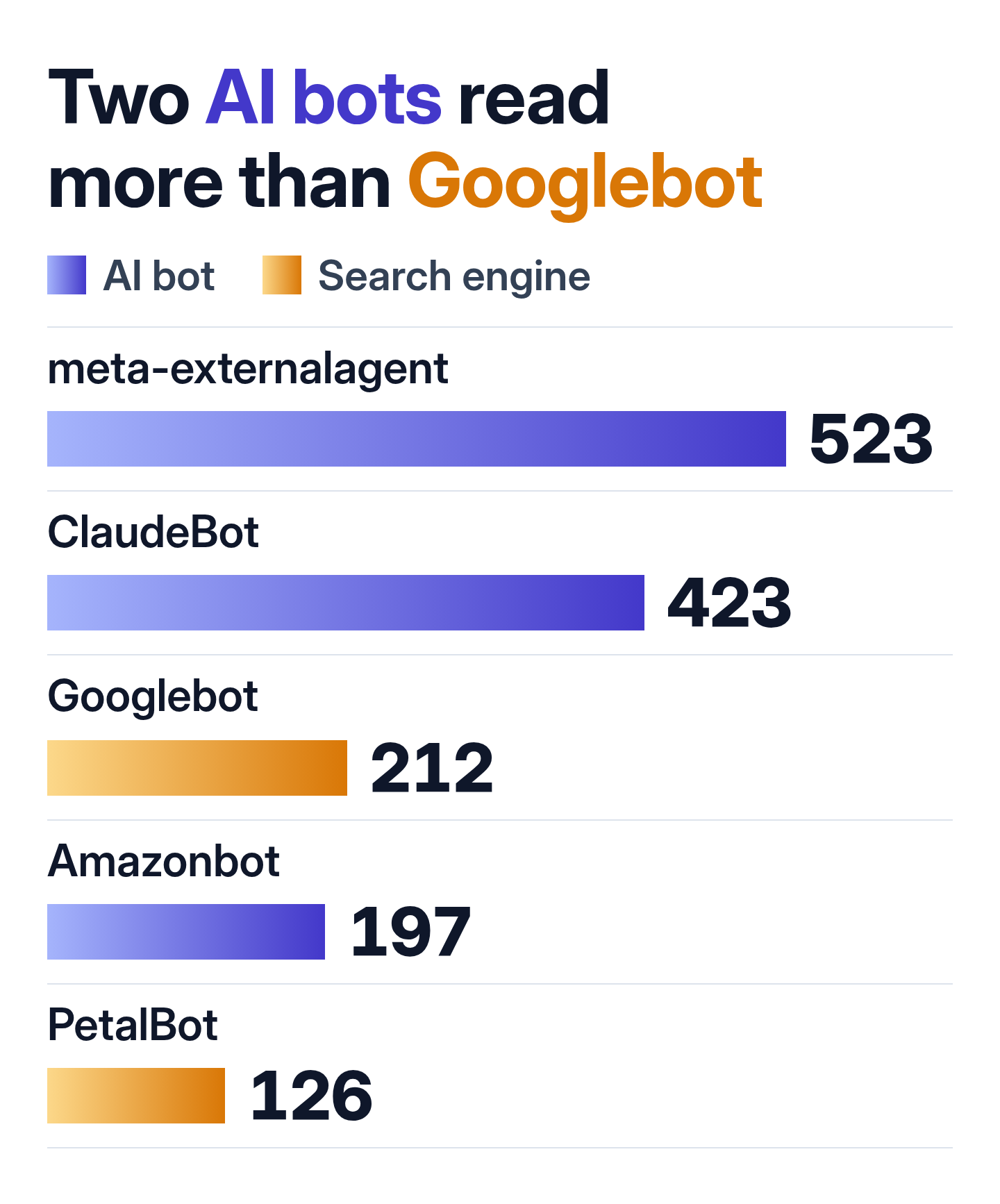
Meta’s crawler came at all hours, day and night.
ChatGPT-User doesn’t crawl at all. Behind each of its visits is a person who asked ChatGPT something, and ChatGPT opened one of my pages to answer. That happened a few times every day.
Three Jobs an AI Crawler Can Do
OpenAI alone runs three of them: GPTBot, OAI-SearchBot and ChatGPT-User. Each name stands for a different job.
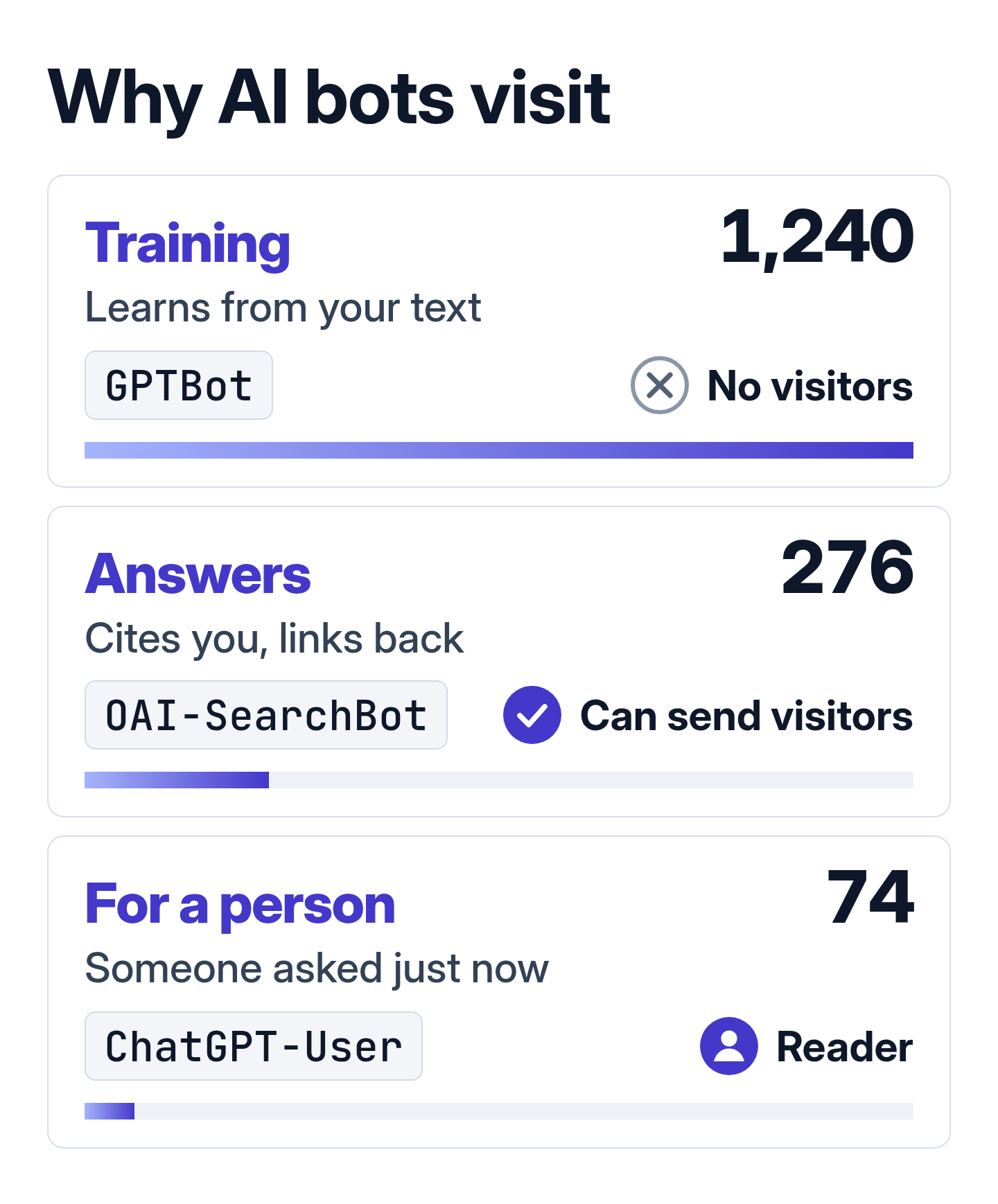
On paper, answer bots are the ones that pay you back. When ChatGPT or Perplexity quotes a page, it links to it.
So far my log says otherwise. In two weeks, not one visitor came from ChatGPT, Perplexity, Claude or Gemini, by referring address or by utm_source tag. Google sent 108.
A Third of the “Googlebots” Were Fake
A bot’s name is just text in the user agent, and anyone can type it.
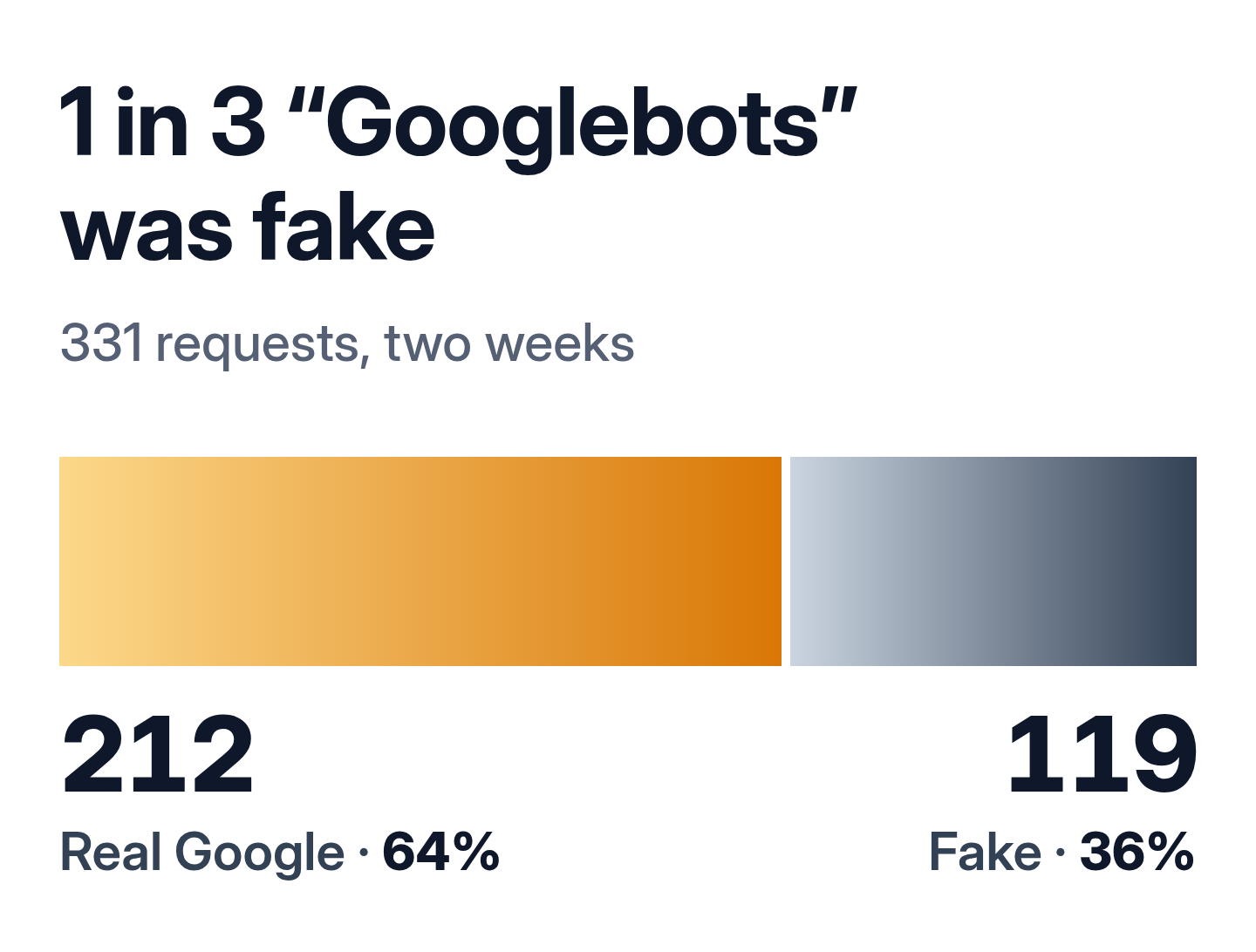
Googlebot wasn’t the only name borrowed. The fakes also signed as ChatGPT-User, Claude-User and Perplexity-User.
Fake Bots Were Hunting for Passwords and Keys
Almost all of them came from five rented Google Cloud servers. Between them they used 30 bot names and sent 2,496 requests. That’s more than all the real AI bots put together.
Four of the five first read the homepage, robots.txt, the sitemaps and about 15 articles, the way a search crawler would.
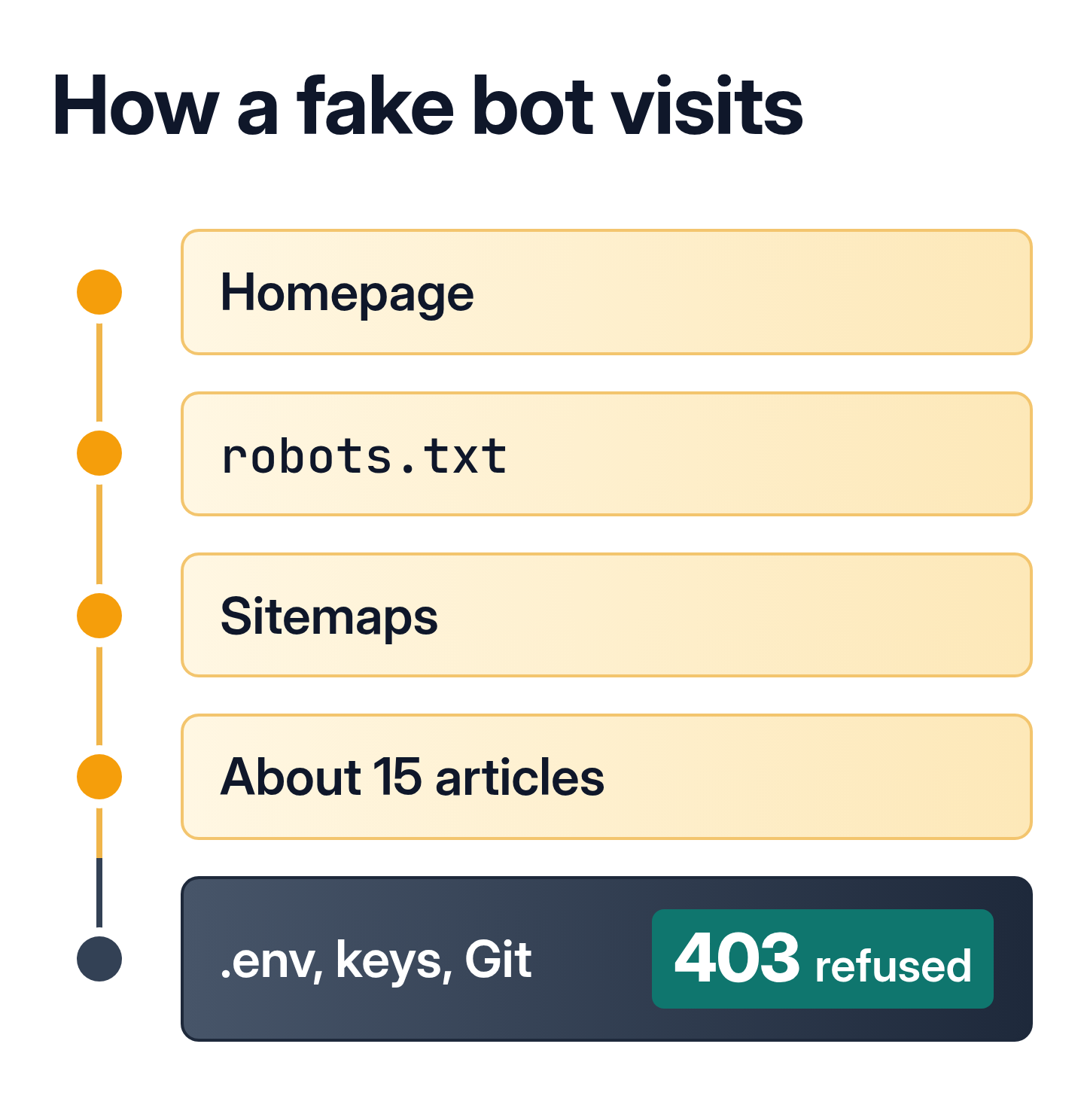
Only then did they ask for the files where passwords and keys usually live.
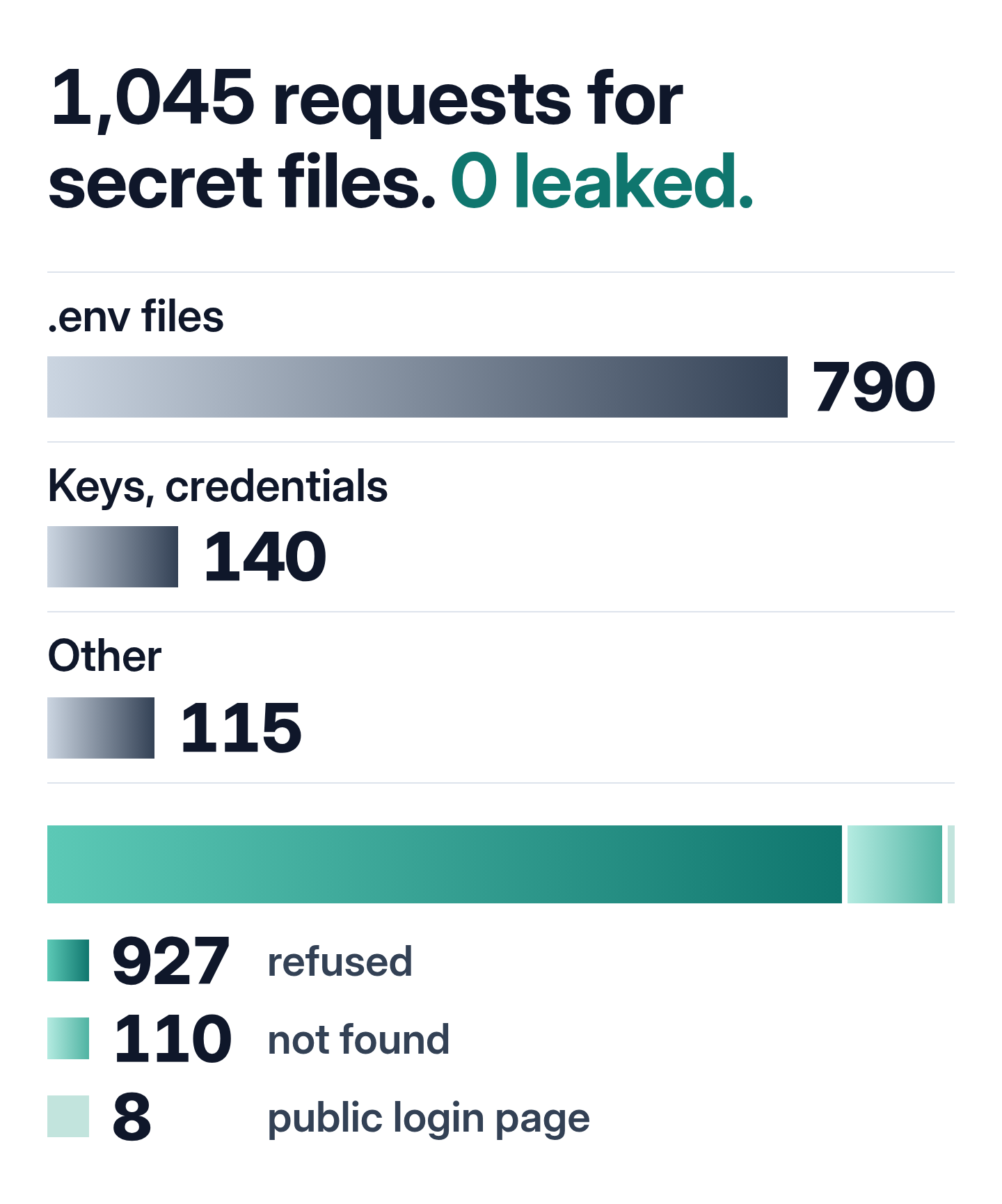
The 8 that got through hit the WordPress login page, which is public anyway. Not a single secret left the server.
How to Detect AI Bots in Your Server Log
Open your server’s access log and search the user agents for AI crawler names like GPTBot, ClaudeBot, PerplexityBot, OAI-SearchBot and meta-externalagent. That only gives you names.
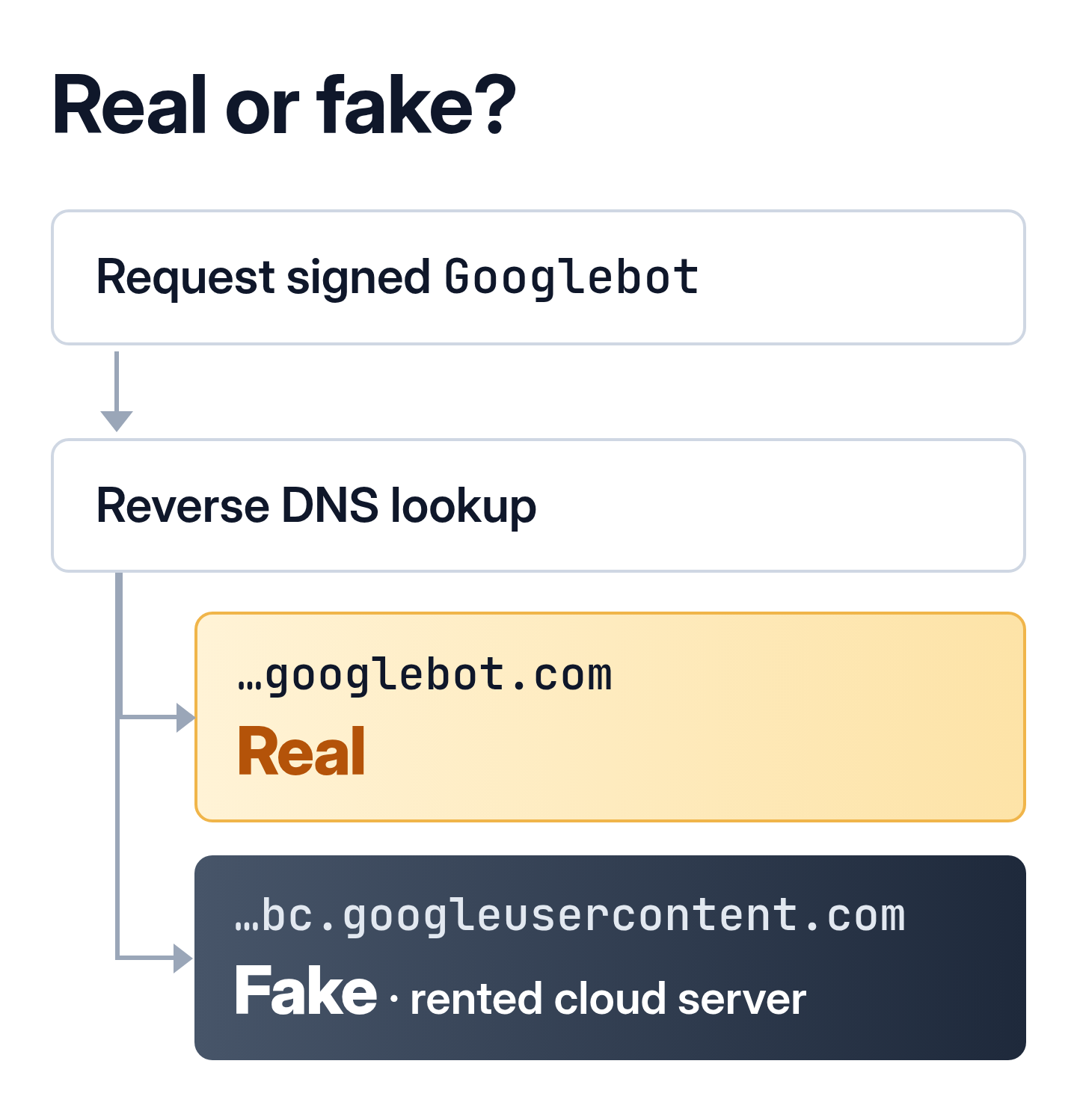
To verify Googlebot, Bingbot or Applebot, look up the DNS name of the address. A real Googlebot comes from a name ending in googlebot.com, and Google explains how to check it.
OpenAI, Anthropic and Perplexity publish lists of their addresses. Meta points to its own network ranges.
Even those lists have gaps. Some real Claude-User requests came from a network registered to Anthropic that isn’t on Anthropic’s own list.
Should You Block AI Crawlers?
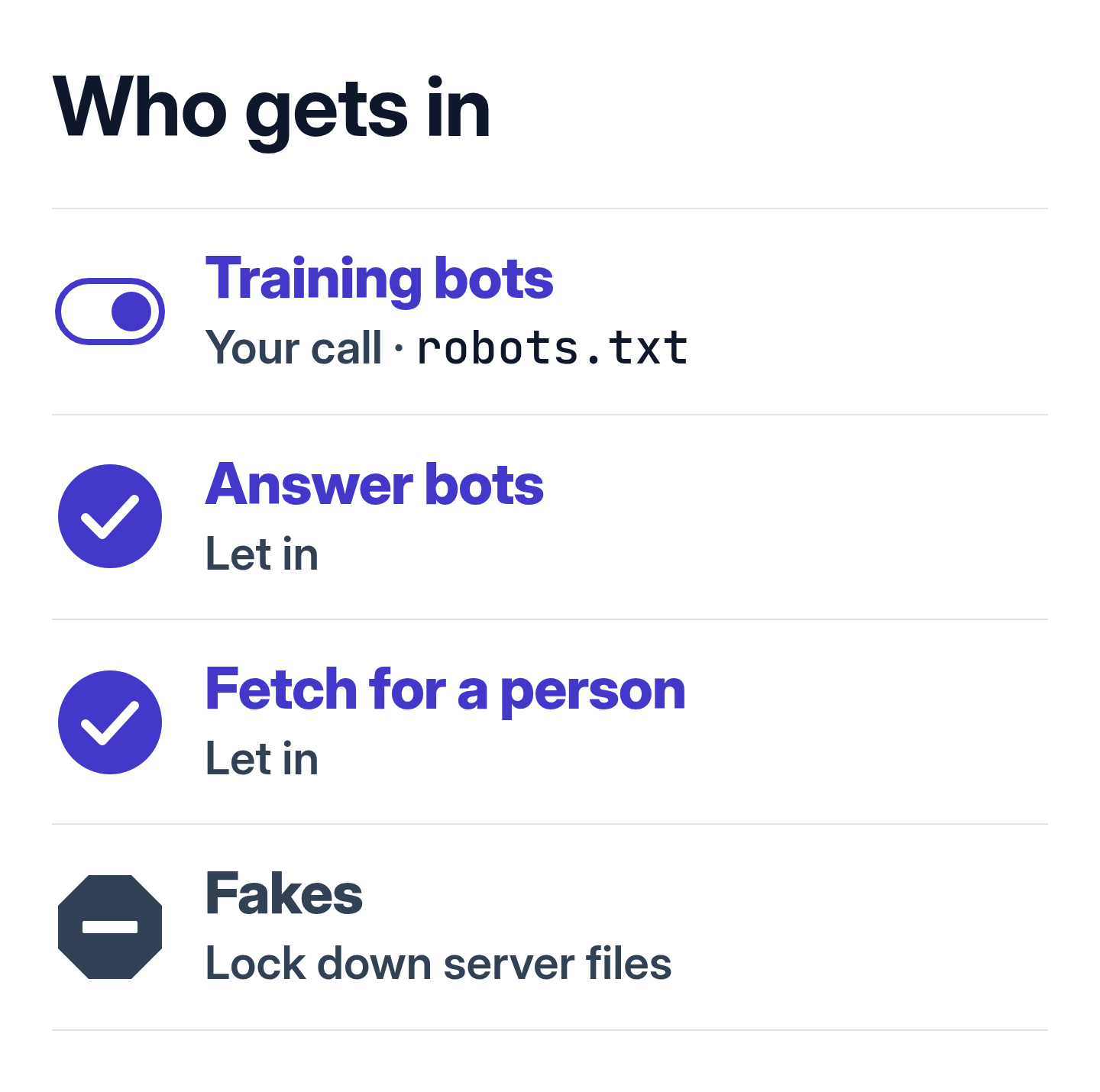
Training bots, the LLM crawlers that collect text for new models, can be turned away in robots.txt. OpenAI and Anthropic say their crawlers follow it.
Fake bots ignore robots.txt, so make sure your server refuses files like .env.
What I Did
I didn’t block a single AI bot. Zero visitors from AI so far, but I still want this site quoted in answers.
I only checked that files like .env return 403. They already did.
I’ll run this check again next month and see whether the first visitor from an AI assistant has shown up.
How I counted: just under two weeks of this site’s nginx log, without my own checks and monitors. A request counts as real only if its address belongs to the company, by published list, DNS or the company’s registered network.